

Personal blog
My personal notes and some comments.
My personal notes and some comments.
This is about development of the Ansible extension for VSCode.
The Git repository is hosted on Github ansible/vscode-ansible and I always have a hard time to run the CI tests locally. I took some notes.
First, I use FishShell and you will need to adjust some commands if you use Bash or Zsh.
First you need lsof, uv and go-task. A task symlink is also needed to keep the original
upstream name of Go-Task:
sudo dnf install -y lsof uv go-task unzip
ln -s /bin/go-task /usr/local/bin/task
Next, is to ignore Docker, since I only use Podman:
export SKIP_DOCKER=1
I need to create a venv with Python 3.13 (for now) and it has to be in ~/.local/share/virtualenvs:
uv venv --python 3.13 ~/.local/share/virtualenvs/vsa
source ~/.local/share/virtualenvs/vsa/bin/activate.fish
In order to avoid some warnings later, you can also populate the venv with the following Ansible tools:
uv pip install ade-python ansible-core ansible-creator ansible-lint ansible-navigator molecule
I also want node_modules/.bin in my $PATH:
set -x PATH $PATH $PWD/node_modules/.bin
I can run the linter commands with: task lint
And the end to end tests with: task e2e
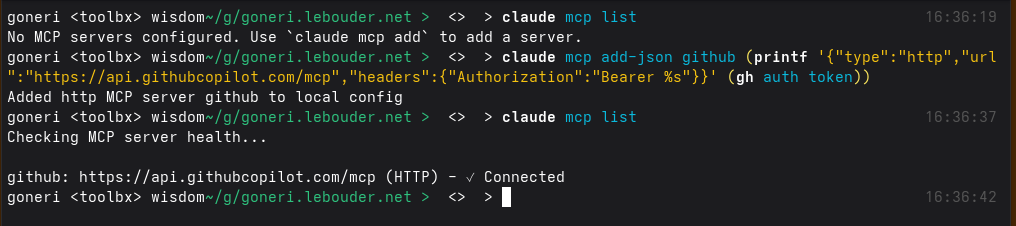
You already use Github with the gh command and want to enable the MCP service in Claude Code.
In this case, you don't need to prepare a new Github Personal Access Token, but you can just
reuse the gh's token that gh auth token returns:
With Fishshell, this looks like this:
claude mcp add-json github -- (printf '{"type":"http","url":"https://api.githubcopilot.com/mcp","headers":{"Authorization":"Bearer %s"}}' (gh auth token))
or Bash:
claude mcp add-json github "$(printf '{"type":"http","url":"https://api.githubcopilot.com/mcp","headers":{"Authorization":"Bearer %s"}}' "$(gh auth token)")"
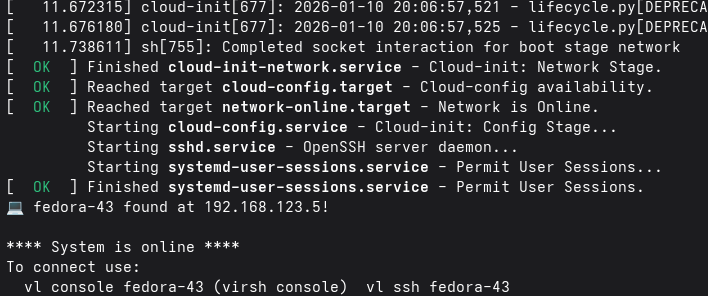
I just published Virt-Lightning 2.5.0. The tool aims to give Linux users a way to quickly spawn cloud images locally. The user interface is a CLI and its philosophy is inspired by similar tools like the OpenStack CLI, ec2 command, Podman or Docker.
For instance, if you want to run the latest snapshot of Fedora 43, you can just install uv and run:
uvx virt-lightning start fedora-43 --memory 2048
This release brings several improvements to image management:
fetch is now pull, distro_list is now images, and remote_images list all the images ready to be downloaded. Overall, this gives a more intuitive CLI experience.packages and write_files configuration options for more flexible VM customization.Here are some examples:
List available images:
uvx virt-lightning images
Pull an image from a custom URL:
uvx virt-lightning pull --url https://example.com/my-image.qcow2 my-custom-image
Start a VM with additional packages:
uvx virt-lightning start fedora-43 --packages vim,htop
Thanks to Jim McCann for his code contribution.
I've been maintaining bsd-cloud-image.org since 2019. The website gives access to cloud images for BSD operating systems. The images are in QCOW2 format and include cloud-init. You can for instance use them with OpenStack or Virt-Lightning, my second pet-project.
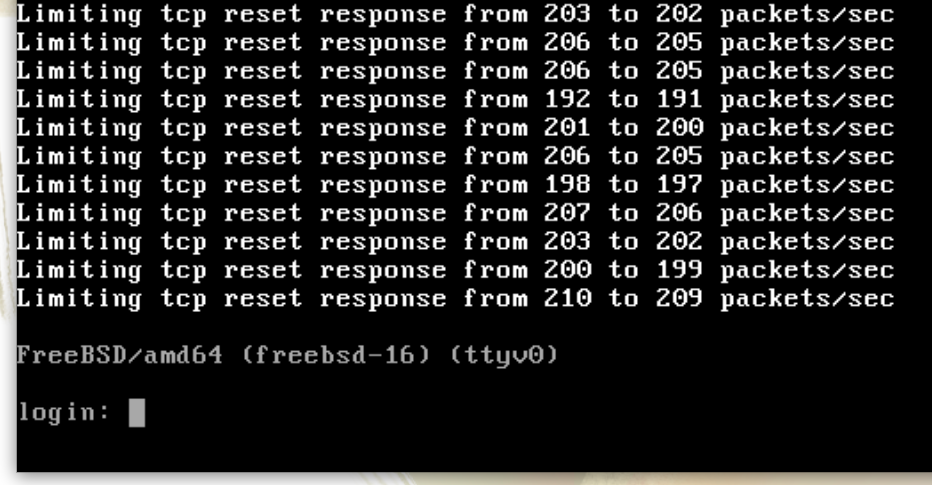
I maintain these images because these projects don't provide anything like this and I want to provide a way to quickly try the BSDs, without the hassle of a manual installation. FreeBSD 15.0 was released in December, and I was happy to discover that the project already provides cloud images!
The FreeBSD images of bsd-cloud-image.org will no longer be updated. A message now redirects users to the official images.
FreeBSD uses its own cloud-init implementation called NuageInit. It's a minimalistic implementation in Lua that is pretty elegant and straightforward.
In order to get the image to work properly with Virt-Lightning, I had to push a couple of commits. Thanks to Baptiste Daroussin, they were all quickly accepted. This was my first contribution to FreeBSD and it was a super positive experience.
Virt-Lightning is my pet-project to quickly start Cloud VMs on a Libvirt Hypervisor and these are some notes I took to run it on Fedora CoreOS.
First, you need to install libvirt and uv:
sudo bootc usr-overlay
sudo dnf install -y uv libvirt-devel gcc python3-devel qemu-kvm qemu-img libvirt mkisofs
sudo systemctl restart polkit.service
sudo systemctl enable --now libvirtd
sudo usermod --append --groups libvirt core
By default, CoreOS is an immutable Operating System. bootc usr-overlay enables write operations,
but they will be lost after the next reboot.
Then, create the image directory:
sudo mkdir -p /var/lib/virt-lightning/pool/upstream
sudo chown -R qemu:qemu /var/lib/virt-lightning/pool
sudo chown -R core /var/lib/virt-lightning/pool/upstream
sudo chmod 775 /var/lib/virt-lightning
sudo chmod 775 /var/lib/virt-lightning/pool /var/lib/virt-lightning/pool/upstream
And you're good to go, you can deploy a VM with just one command:
uvx virt-lightning start fedora-43 --memory 2048
Or if you're adventurous, you can try the Git version:
uvx --from git+https://github.com/virt-lightning/virt-lightning vl start fedora-43 --memory 2048