My GNOME configuration and its extensions
I've been using a slightly tweaked GNOME 3 for a while now. Before that, I was using the Awesome Window Manager and I was quite fond of the key bindings. In order to facilitate the transition, I tried to recreate them. The result is pretty good. I can navigate between my 9 different virtual desktops using the Windows (a.k.a. SUPER) key + a number. Windows + F also works; it will turn on fullscreen mode for a given window. Years after the migration to GNOME, I still use the bindings extensively. The following script configures GNOME with my configuration: https://gist.github.com/goneri/b57a96915ea4a98f81df3bb57a41913e
It creates 9 virtual desktops on one single monitor that I can reach using the Super + $number key binding, e.g.: Windows + 6. In addition, it turns off the animations and the annoying alert sound.
I also use a couple of extensions:
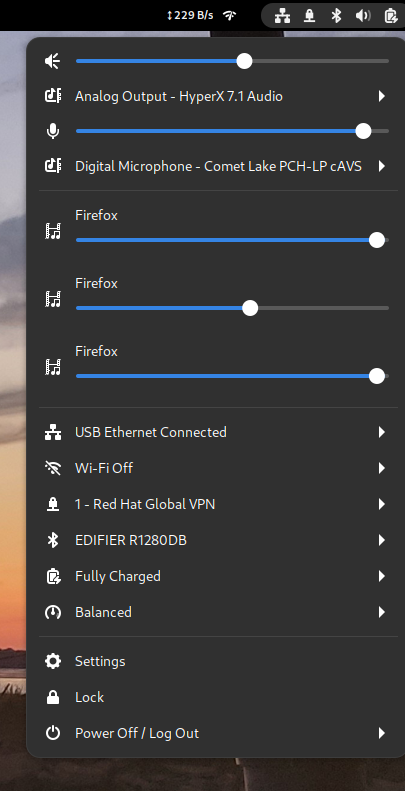
- Application volume mixer to be able to adjust my mic volume level during meetings link
- Network stats to get some visibility on the network traffic link
- Sound Output Device Chooser to be able to switch the sound output between my Bluetooth speaker and my headset. I use it several times every day; it's super handy. link